

ChatGPT vs Claude: How “Projects” Actually Work (And Why Memory Changes Everything) – updated
I’ve been comparing how ChatGPT and Claude handle Projects lately. If you’re using AI tools for your practice, this matters more than you think.
Here’s what most people don’t realize:
Both ChatGPT and Claude now have cross-conversation memory.
The chatbot can reference something you mentioned three weeks ago, remembers your brand voice and tech stack, and builds on previous conversations. You don’t have to re-explain context every time (though quick reminders like “We were working on redesigning Megan’s podcast page, remember?” still help orient the AI).
This is huge — it’s like having a colleague who actually remembers your business.
But here’s where Projects complicate things:
ChatGPT Projects = soft boundaries (you can move chats in/out with workarounds)
Claude Projects = hard walls (once a chat is in a Project, it’s isolated)
Why this matters:
When you put conversations in Projects, you’re breaking the memory connection. Your AI can no longer connect your brand guidelines to client work, your practice philosophy to content creation, or your tech solutions to workflow problems.
My recommendation:
Keep most work OUTSIDE Projects so memory flows freely — practice workflows, client discussions, content creation, newsletter planning.
Only use Projects for true isolation — separate business ventures, confidential client files, or reference libraries that don’t need to “talk” to other work.
Think of it this way: Projects are like locked filing cabinets. Sometimes you need that. But most of your work benefits from everything being visible and connected.
The magic of AI isn’t just in one conversation — it’s in the chatbot understanding your whole context over time.
Subscribe to my newsletter for more AI insights for nutrition practitioners.
Update – December 8, 2025: Claude Now Has Memory Too (But Projects Still Work the Same)
Since this post first went live, Claude has rolled out a robust memory feature for Pro and Max users, and it brings it much closer to ChatGPT in terms of how you can work across multiple sessions and projects. When memory is enabled, Claude can remember your preferences, tone, ongoing work, and the broader context of your business in a way that feels very similar to ChatGPT’s own memory system.
In other words: both tools can now remember you – your role, tone, etc. – and use that context the next time you open a new chat.
Where to Find Memory in ChatGPT and Claude
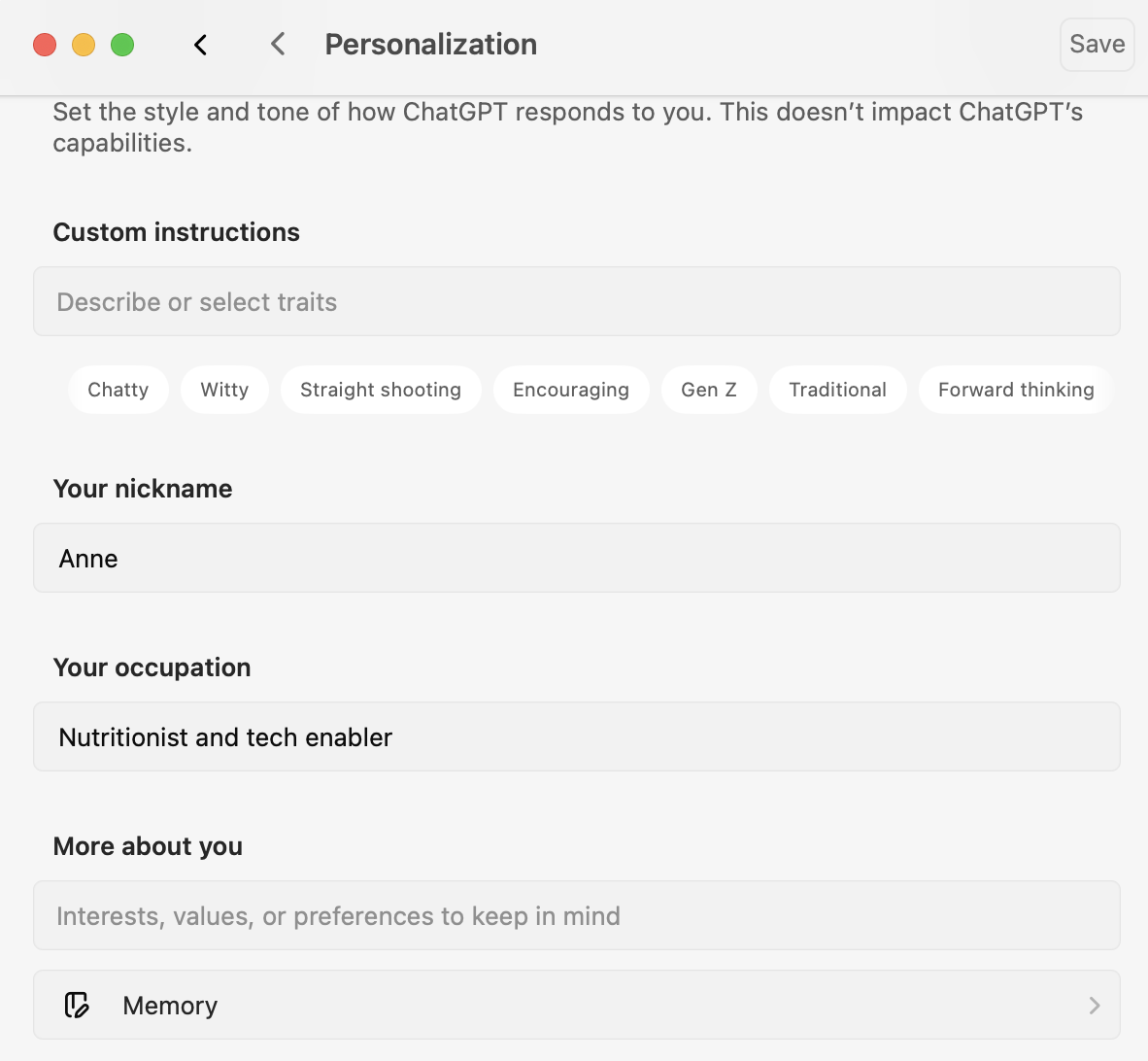
In ChatGPT, memory controls live under:
Settings → Personalization → Memory
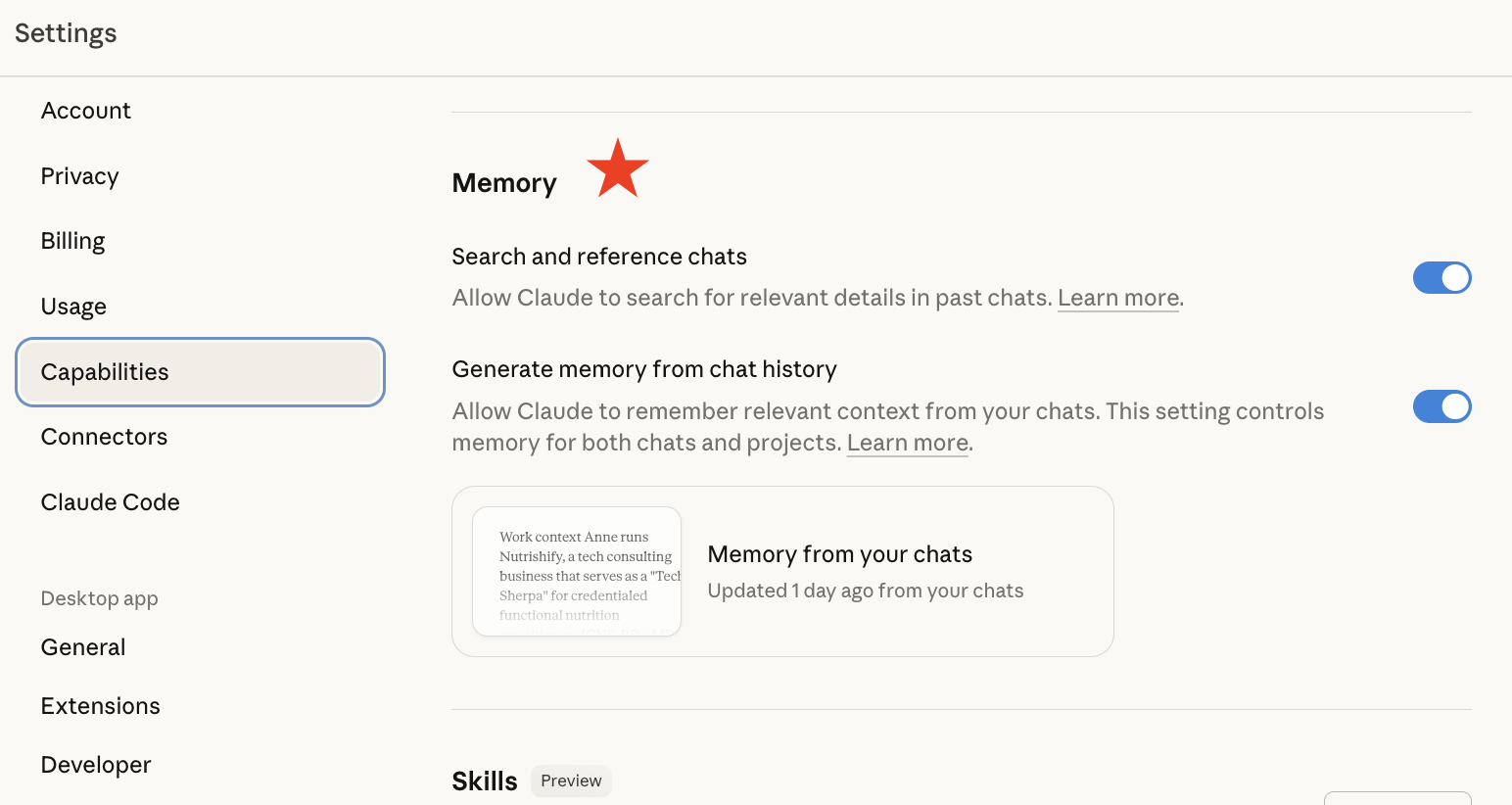
In Claude, memory is controlled from:
Settings → Capabilities → Memory
What Hasn’t Changed: Projects Are Still Containers
The important thing to know is what hasn’t changed behind the scenes:
Even with memory enabled, both ChatGPT and Claude still treat Projects as strict containers. Memory does not automatically cross project boundaries.
If a conversation or file lives inside a Project, the assistant does not magically merge that with work stored in other Projects. The models can now remember your brand, your preferences, and your recurring tasks – but they still can’t “stitch together” siloed project spaces behind the scenes.
As a quick sidenote: Perplexity has added some light personalization, but it still doesn’t offer deep assistant-style conversational memory the way ChatGPT and Claude do. It remains primarily a fast, reliable search-and-retrieval engine – fantastic for real-time research and citations, but not the place to run long, multi-session workflows.
Why My Original Advice Still Stands
All of this makes the original point of this post even more relevant today: if your work is highly interconnected — for example, when your clinical work informs your content, your content drives your marketing, and your marketing ties back into your practice systems – then keeping most of your conversations outside Projects still gives you the richest continuity and the fewest blind spots.
Use Projects sparingly, mainly as organized places to store things that don’t change very often — like key documents, templates, or reference materials you want to keep stable. Then let memory in ChatGPT or Claude carry the bigger picture of who you are and what you’re building from one conversation to the next.